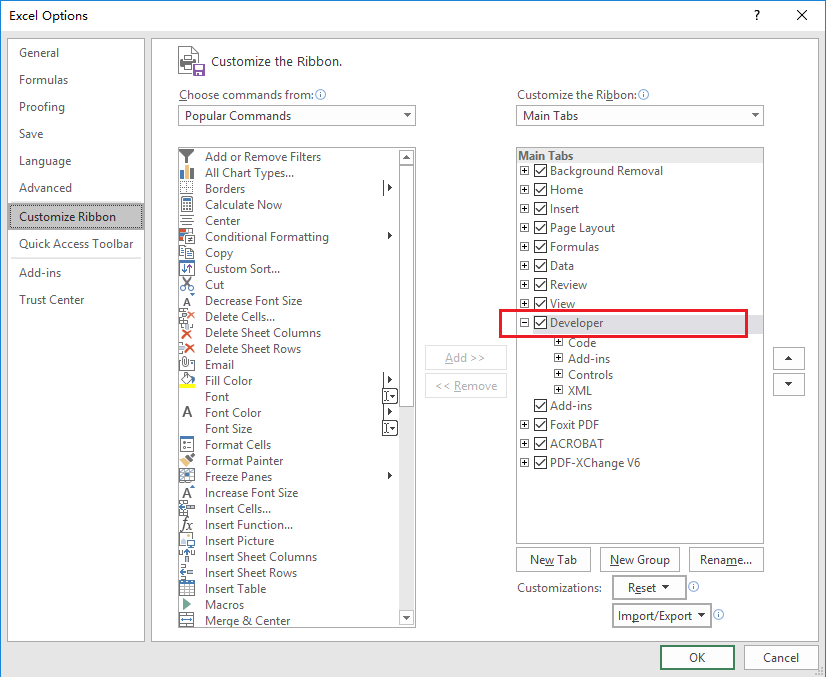
With similar operations in Office versions, take Excel 2016 for example. In Excel 2016, there is no Developer tab on the ribbon by default. To add the tab, click File > Options > Customize Ribbon in Excel 2016, and check Developer in Main Tabs on the right part of the Excel Options dialog box, as the screenshot shown below.
Then you can see the Developer tab on the Ribbon.
