The status bar is an area of the workspace that displays the page number where you are, the number of total pages, page transition buttons, zoom buttons, etc. for view setting.
The status bar is open by default when you open a PDF. In the View tab, click View Setting and the Status Bar items help you to show or hide the status bar.
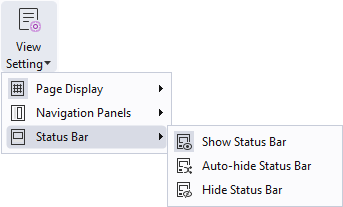
Show Status Bar: If you check it, the status bar will appear at the bottom of the workspace.
Auto-hide Status Bar: If you check it, the status bar is hidden. But if you put the cursor near the bottom of the page, the status bar will appear.
Hide Status Bar: If you check it, the status bar will be hidden.