In Line Weights View, the lines will be displayed with the weights defined in the PDF file. When Line Weights View is turned off, the lines will be displayed with the constant stroke width (1 pixel), regardless of zoom. The following screenshots show the comparison of the PDF file displayed in Line Weights View and Non-Line Weights View.
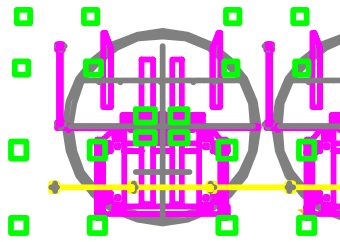
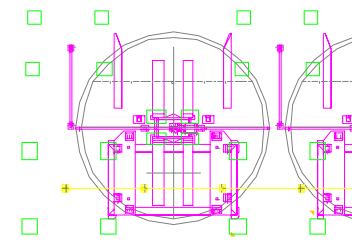
PDF in Line Weights View PDF in Non-Line Weights View
To enter Line Weights View, please choose View > View Setting > Page Display > check Line Weights option.
To exit Line Weights View, please choose View> View Setting > Page Display > uncheck Line Weights option.