JavaScript Console is a control panel for the execution and debugging of JavaScript code. Serving as a debugging aid, it is quite useful for displaying debug messages and executing JavaScript. To active the JavaScript console, select Form> JavaScript > JavaScript Console, and do the following:
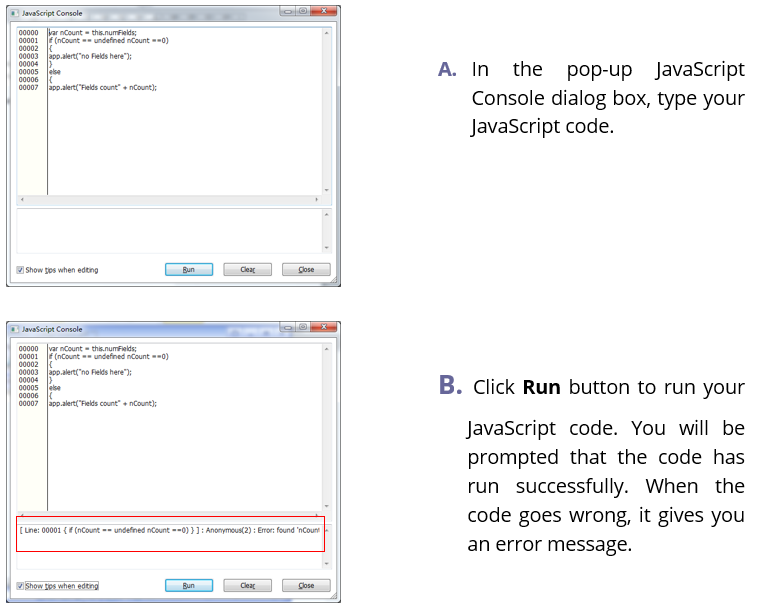
You can click Clear to remove all the contents you input from the dialog box, or click Close to discard the contents and exit the dialog box.