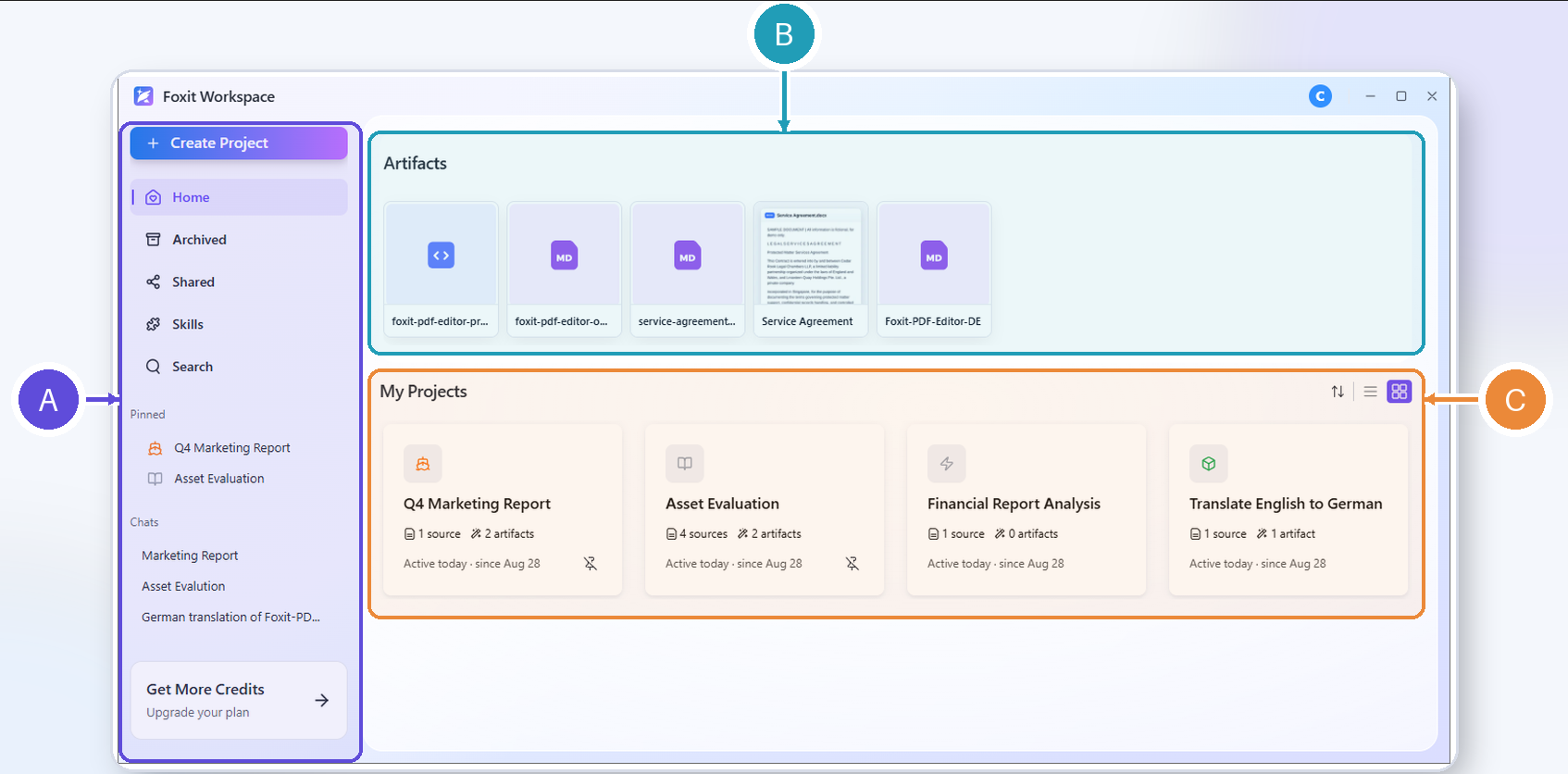
The Home page is the starting point for your work. It includes the following sections:
Navigation panel: The navigation panel located on the left side of the Home page provides quick access to key functions, including creating a new project, viewing archived or shared content, managing Skills, searching for projects, and returning to the Home page from other views. It also features a pinned project list for easy access to projects you have marked, as well as a chat list for recent conversations.
Artifacts: Display the recently generated outputs associated with your projects, if any.
My Projects: Display your ongoing projects. The project cards show key information such as the project name, source counts, artifact counts, creation date, and include a “More options” menu for project management. The buttons in the top-right corner of the project list allow you to switch the project view (thumbnail view or list view) and sort projects by name, updated date, or creation date.